
Setting up mail clients for working with mail
PrintTo find the IMAP/POP and SMTP settings of your email, you need to:
- Login to cPanel and go to Email Accounts in the Email section:

There, find the email account you want to connect and click Connect Devices:
In the Manual Mail Client Settings section you will find IMAP / POP and SMTP Settings:
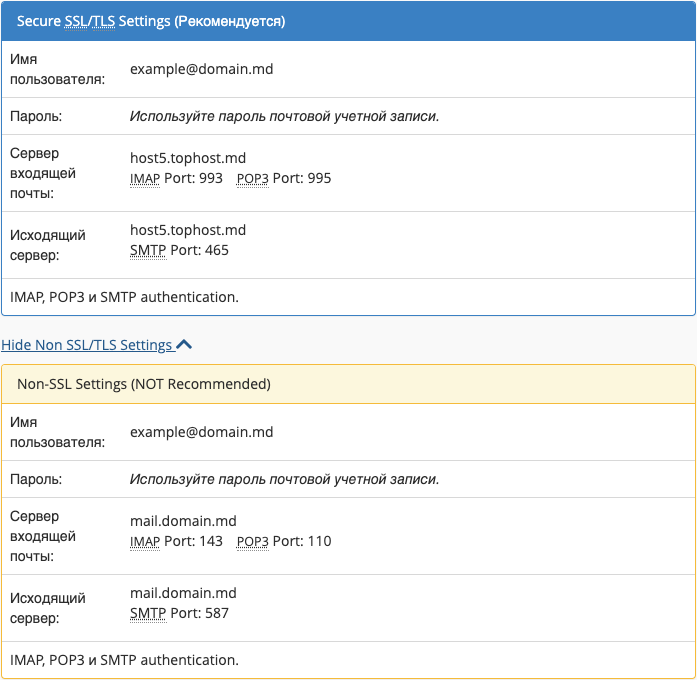
You can also use your domain name as the hostname if your domain points to Hostinger. You can check this in your DNS Zone Editor.
