
Creating a MySQL database in cPanel: database, user and privileges
PrintWordPress, an online shop, a forum or your own PHP script all keep their data in a MySQL database. In cPanel you create the database and a database user separately, then give that user rights on the database. It takes about five minutes, and at the end you have the four details the site needs: host, database name, user and password.
Installing WordPress or another CMS with Softaculous or WP Toolkit? The installer creates the database and user for you, so you can skip this article.
Method 1: Manage My Databases
- Log in to cPanel. From the client area, open My Services and choose your hosting plan.
- In the Databases section, click Manage My Databases (older cPanel versions call it MySQL Databases).
- Create the database. Under Create New Database, type a short name in the New Database field, for example
shop, and click Create Database. Then click Go Back.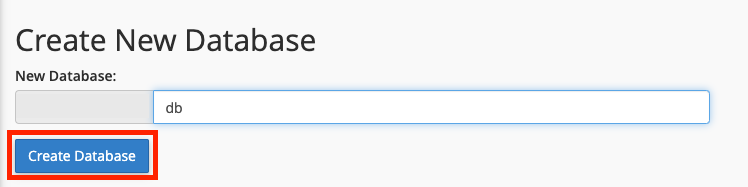
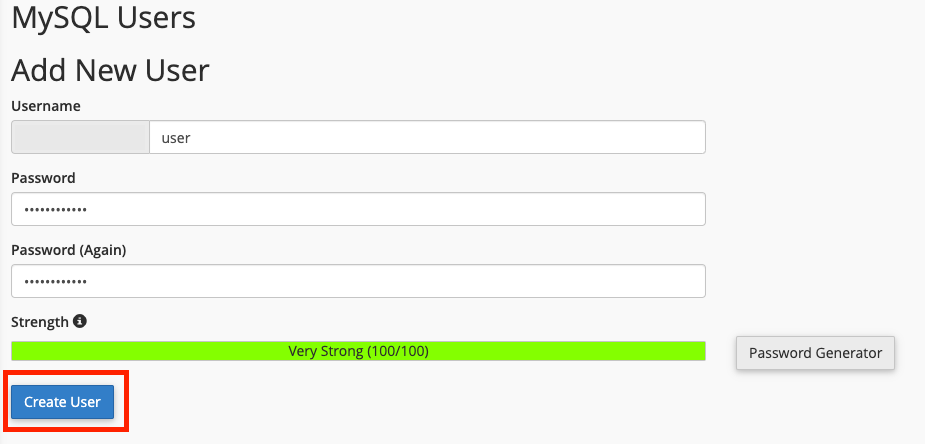
- Create the user. Scroll to MySQL Users, Add New User. Enter a Username, then the password in Password and Password (Again). Password Generator can make a strong one for you; copy it somewhere safe before you confirm. Click Create User, then Go Back.
- Link the user to the database. Under Add User To Database, choose your user in the User list and your database in the Database list, then click Add.
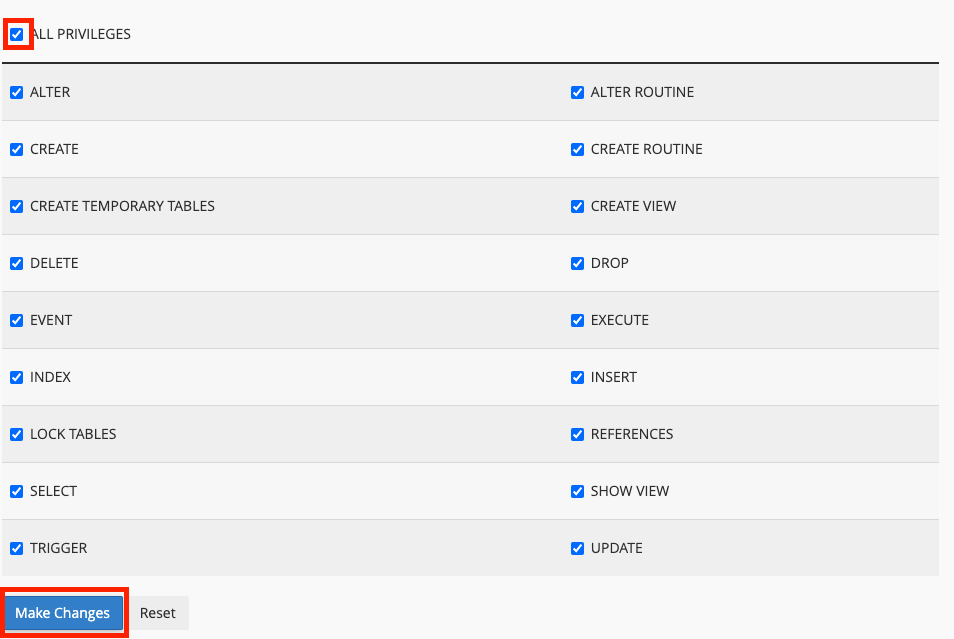
- Grant privileges. On the Manage User Privileges page, tick ALL PRIVILEGES and click Make Changes.
Method 2: Database Wizard
In the same Databases section, Database Wizard walks you through the same four actions one screen at a time: database name, user and password, privileges, done. It suits a first database; the result is identical.
Your access details
cPanel puts your cPanel username and an underscore in front of every database and user name. If the cPanel username is cpuser:
| Detail | Example |
|---|---|
| Host | localhost |
| Database name | cpuser_shop |
| User | cpuser_shopadmin |
| Password | The one you set in step 4 |
cPanel does not show the password again later, so keep it in a password manager. More about these values, and where each CMS stores them, in MySQL connection details.
Common mistakes
- Skipping steps 5 and 6. The user exists but has no rights on the database, and the site shows "Access denied". Add the user to the database and tick ALL PRIVILEGES.
- Leaving out the prefix. In the site configuration write
cpuser_shop, not justshop. - A password that breaks the configuration file. Quotes and backslashes can end a line of PHP code early. If you type the password by hand into a file, choose one without
',"and\. - Lost password. In Manage My Databases, under Current Users, click Change Password next to the user, set a new one and update it in the site configuration.
Frequently asked questions
How many databases can I create?
It depends on the hosting plan. cPanel shows how many you use and your plan's limit in the Statistics panel on the home page.
Can one user work with several databases?
Yes, but a separate user for each site is safer: if one site is compromised, the others' data stays out of reach.
How do I see or edit the data?
With phpMyAdmin, in the same Databases section. See exporting and importing a database with phpMyAdmin.
